Band Node
Band generates a bounded capsule-shaped mask: the value is 1 on a core segment defined by the center, angle and length, and falls off to 0 at the given width following the chosen radial profile. A zero length degenerates to a radial bump; lengths larger than the domain give an infinite strip, so placing the center on or beyond a domain edge produces latitude bands / polar caps.
Category
Primitive/Function
Inputs
| Name | Type | Description |
|---|---|---|
| dr | VirtualArray | Optional noise field used to locally modulate the band falloff distance (edge displacement). |
| envelope | VirtualArray | Heightmap used as a post-process amplitude multiplier for the generated noise. |
| offset | VirtualArray | Optional noise field used to locally offset the band axis position. |
Outputs
| Name | Type | Description |
|---|---|---|
| output | VirtualArray | Generated band mask. |
Parameters
| Name | Type | Description |
|---|---|---|
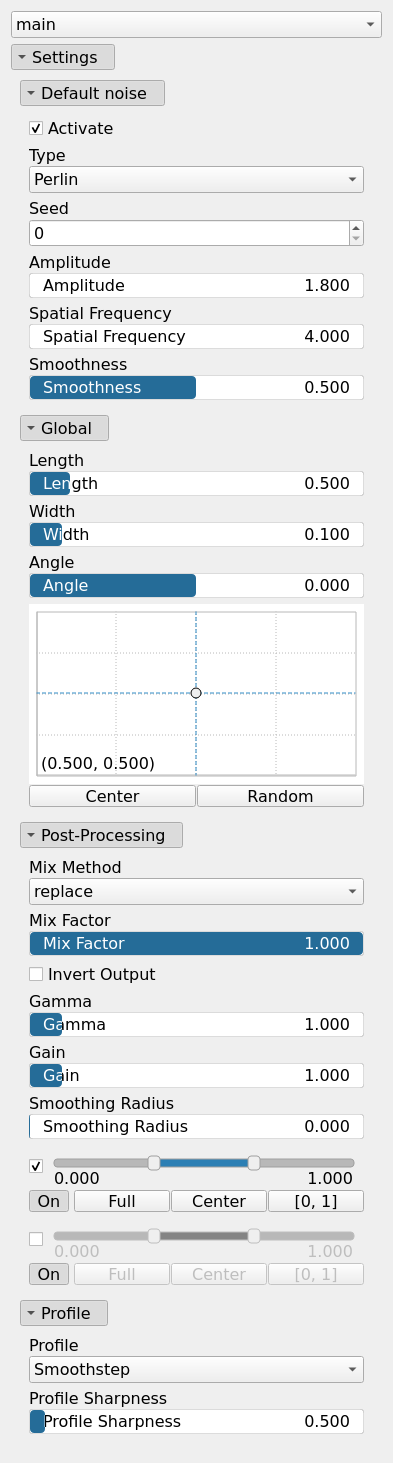
| Angle | Float | Orientation angle of the band axis in degrees. |
| Center | Vec2Float | Band center in normalized coordinates (the Y coordinate is measured from the bottom). |
| Activate | Bool | Enables or disables the built-in drainage noise. If an external noise input is provided, it overrides this default noise. |
| Spatial Frequency | Float | Base spatial frequencies in the X and Y directions. |
| Amplitude | Float | Noise amplitude. |
| Type | Enumeration | Noise type. |
| Seed | Random seed number | Random seed number. The random seed is an offset to the randomized process. A different seed will produce a new result. |
| Smoothness | Float | Controls the resulting smoothness of the fractal layering process. |
| Length | Float | Core segment length in normalized domain units. A zero length degenerates to a radial bump; lengths larger than the domain give an infinite strip (latitude band / polar cap). |
| Gain | Float | Mid-centered gain transformation applied to the elevation values. This is a non-linear recurve operator centered around the mid elevation (typically 0.5). Increasing the gain pushes values toward the minimum and maximum elevations, creating flatter low/high regions with a steeper transition around the midpoint. |
| Gamma | Float | Standard gamma correction applied to the elevation values. This is a monotonic power-law remapping that shifts emphasis toward low or high elevations, making the overall shape sharper or bulkier without changing its ordering. |
| Invert Output | Bool | Inverts the output values after processing, flipping low and high values across the midrange. |
| Mix Factor | Float | Mixing factor for blending input and output values. A value of 0 uses only the input, 1 uses only the output, and intermediate values perform a linear interpolation. |
| Mix Method | Enumeration | Method used to combine input and output values. Options include linear interpolation (default), min, max, smooth min, smooth max, add, and subtract. |
| Remap Range | Value range | Linearly remaps the output values to a specified target range (default is [0, 1]). |
| Saturation Range | Value range | Modifies the amplitude of elevations by first clamping them to a given interval and then scaling them so that the restricted interval matches the original input range. This enhances contrast in elevation variations while maintaining overall structure. |
| Smoothing Radius | Float | Defines the radius for post-processing smoothing, determining the size of the neighborhood used to average local values and reduce high-frequency detail. A radius of 0 disables smoothing. |
| Profile | Enumeration | Radial profile used for the falloff. |
| Profile Sharpness | Float | Additional sharpness parameter for the radial profile. |
| Width | Float | Falloff half-width in normalized domain units. |
Example
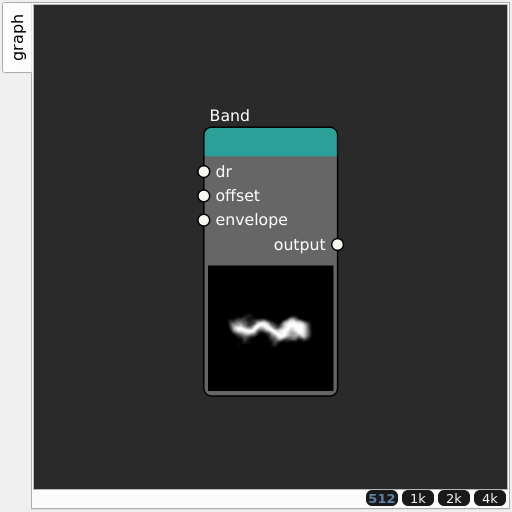
Corresponding Hesiod file: Band.hsd. Use [Ctrl+I] in the node editor to import a hsd file within your current project.
Note
Example files are kept up-to-date with the latest version of Hesiod. If you find an error, please open an issue.