PolarShape Node
No description available
Category
Primitive/Function
Inputs
| Name | Type | Description |
|---|---|---|
| envelope | VirtualArray | Heightmap used as a post-process amplitude multiplier for the generated noise. |
| noise_r | VirtualArray | No description |
| noise_theta | VirtualArray | No description |
Outputs
| Name | Type | Description |
|---|---|---|
| output | VirtualArray | No description |
Parameters
| Name | Type | Description |
|---|---|---|
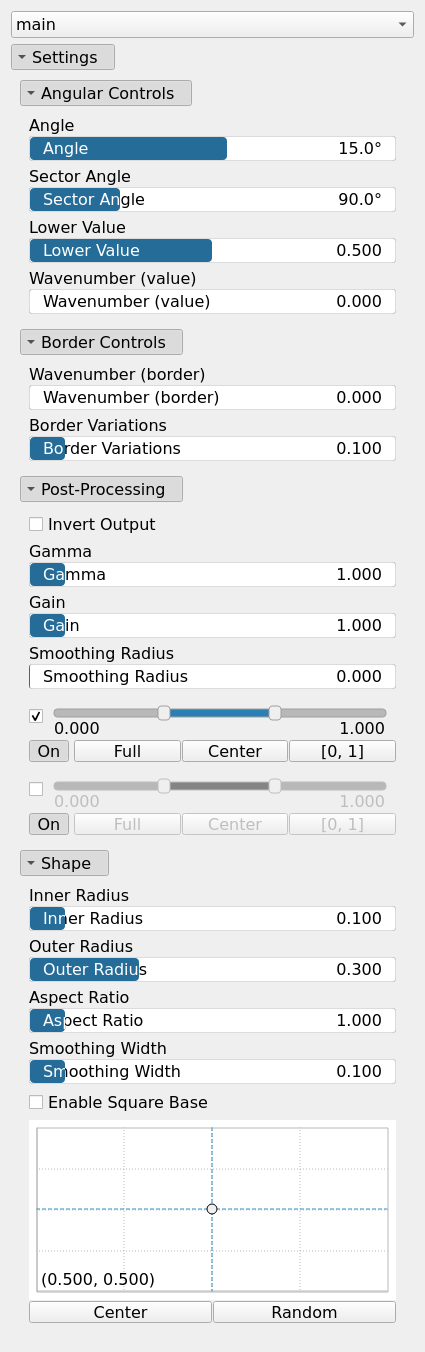
| Angle | Float | No description |
| Aspect Ratio | Float | No description |
| Center | Vec2Float | No description |
| Wavenumber (border) | Float | No description |
| Border Variations | Float | No description |
| Wavenumber (value) | Float | No description |
| Gain | Float | Mid-centered gain transformation applied to the elevation values. This is a non-linear recurve operator centered around the mid elevation (typically 0.5). Increasing the gain pushes values toward the minimum and maximum elevations, creating flatter low/high regions with a steeper transition around the midpoint. |
| Gamma | Float | Standard gamma correction applied to the elevation values. This is a monotonic power-law remapping that shifts emphasis toward low or high elevations, making the overall shape sharper or bulkier without changing its ordering. |
| Invert Output | Bool | Inverts the output values after processing, flipping low and high values across the midrange. |
| Remap Range | Value range | Linearly remaps the output values to a specified target range (default is [0, 1]). |
| Saturation Range | Value range | Modifies the amplitude of elevations by first clamping them to a given interval and then scaling them so that the restricted interval matches the original input range. This enhances contrast in elevation variations while maintaining overall structure. |
| Smoothing Radius | Float | Defines the radius for post-processing smoothing, determining the size of the neighborhood used to average local values and reduce high-frequency detail. A radius of 0 disables smoothing. |
| Outer Radius | Float | No description |
| Inner Radius | Float | No description |
| Sector Angle | Float | No description |
| Smoothing Width | Float | No description |
| Enable Square Base | Bool | No description |
| Lower Value | Float | No description |
Example
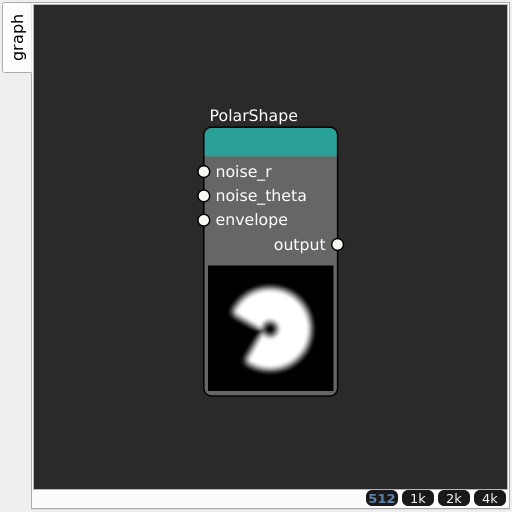
Corresponding Hesiod file: PolarShape.hsd. Use [Ctrl+I] in the node editor to import a hsd file within your current project.
Note
Example files are kept up-to-date with the latest version of Hesiod. If you find an error, please open an issue.