Compare Node
Displays a split view of two arrays using a horizontal and vertical slice.
Category
Debug
Inputs
| Name | Type | Description |
|---|---|---|
| a | VirtualArray | First input array (top-left region). |
| b | VirtualArray | Second input array (bottom-right region). |
Outputs
| Name | Type | Description |
|---|---|---|
| output | VirtualArray | Resulting array combining a and b based on slice position. |
Parameters
| Name | Type | Description |
|---|---|---|
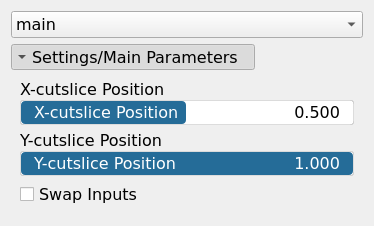
| X-cutslice Position | Float | Normalized horizontal slice position (0 = left, 1 = right). |
| Y-cutslice Position | Float | Normalized vertical slice position (0 = top, 1 = bottom). |
| Swap Inputs | Bool | Swaps the roles of input arrays a and b. |
Example
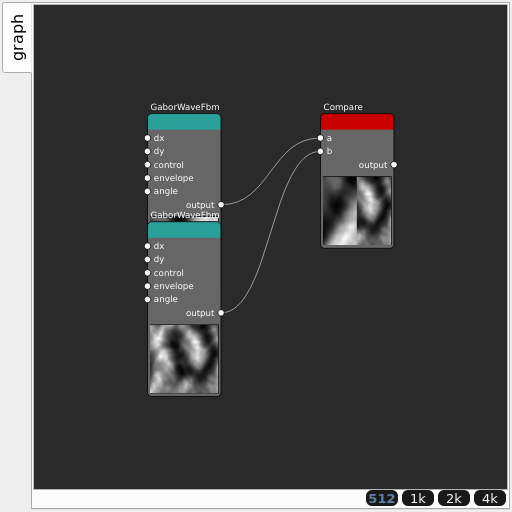
Corresponding Hesiod file: Compare.hsd. Use [Ctrl+I] in the node editor to import a hsd file within your current project.
Note
Example files are kept up-to-date with the latest version of Hesiod. If you find an error, please open an issue.